No matter what you do, if it comes to performance and scale, there’s always a cost involved. It is easy to go bigger and throw more compute at it, but those dollars start adding up very fast. So we need to look at a solution to keep costs in check while we do the necessary troubleshooting and fixes.
Most likely, not every single minute of the day requires the same power. This is where scaling comes into play. For scaling compute, there are 2 options: scale up/down (size) and scale in/out (number of instances).
Luckily App Services have Autoscaling, which works on instance count (so scale in/out).
Autoscaling works on rules and you can define them how you want. One thing to be aware of is flipflopping where one rule triggers scaling up, which redefines the average metrics and in turn might trigger a scaling down. If your boundaries are far enough apart, or you use a combination of rules (e.g. CPU, Memory, HttpQueueLength) and maybe a delay then you can minimize this effect.
Use low volume periods to your advantage
This particular business had very low usage in the weekends. This means that we could go lower in instance count, but ideally you keep at least 2 to meet some SLA requirements (as Microsoft can always kick one out to do patches).
This could be identified by the overall performance charts, but was also confirmed by splitting the App Insights graphs for e.g. CPU and memory per instance, which gives you get a colored line per instance.
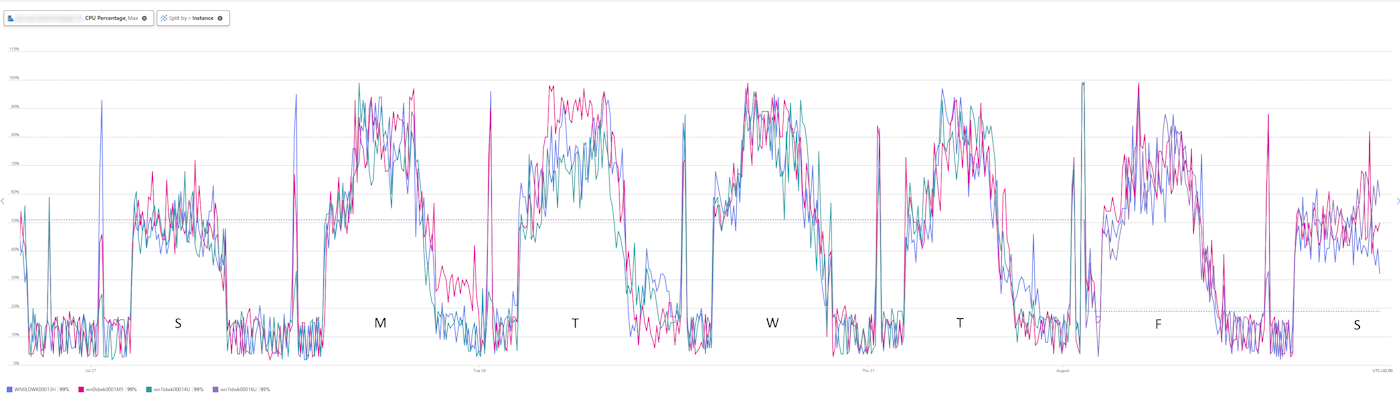
As you notice, not a single instance goes over 60% load in the weekend. However, the nature of the application did not allow scaling down in actual size, only in instance count.
To define this, I specified a second rule for weekend days.
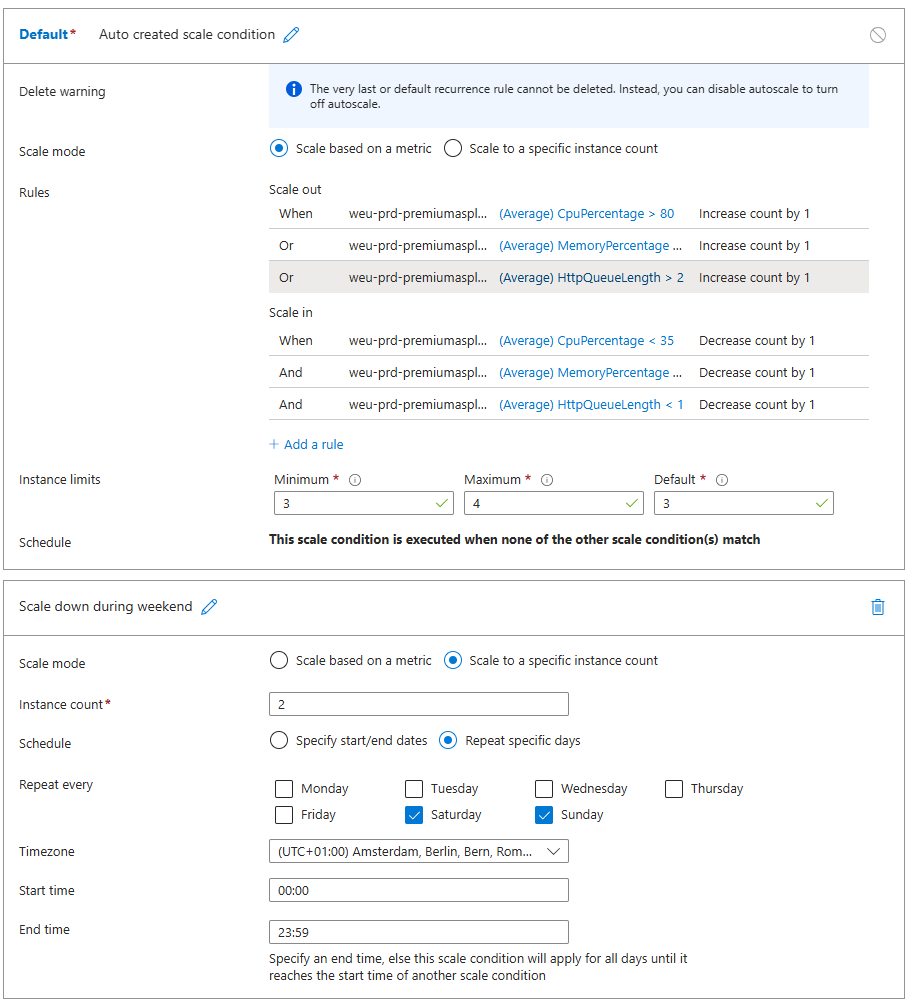
Note: currently the system still flops back to 3 instances for a single minute between 23.59 and 00.00 as these are defined as time boundaries for the rule.
Note: always be aware of possible background or long running jobs as these will be cut off when scaling down.
Conclusion
Look at the process and what your application needs (CPU, thread, memory or simply time) rather than raw platform metrics.